The need
As an identity server, the main purpose of Keycloak is to provide single authentication methods for many applications while leaving the task of filtering users access to the later based on custom, application side, claims to role mappings. In short, Keycloak provides authentication and identification while the application servers handle Role Based Access Control (RBAC) based on the claims retrieved from the identity server. Such distribution of responsibility allows fine-grained access-control.
But there are some clear cut cases where the decision should be handled by the identity server instead of the individual applications. Take for instance all the applications restricted to a certain class of users such as monitoring / administration stacks: it would be a giant pin in the ass to set role mapping in each and every application configuration to disallow access to this specific resource. This could be handled upstream in the identity server. Here, I present a simple way to restrict applications to a specific IT Realm role.
The direct approach that does not work
For those who tried, you probably went like this. First all set Authorization in the client capability config
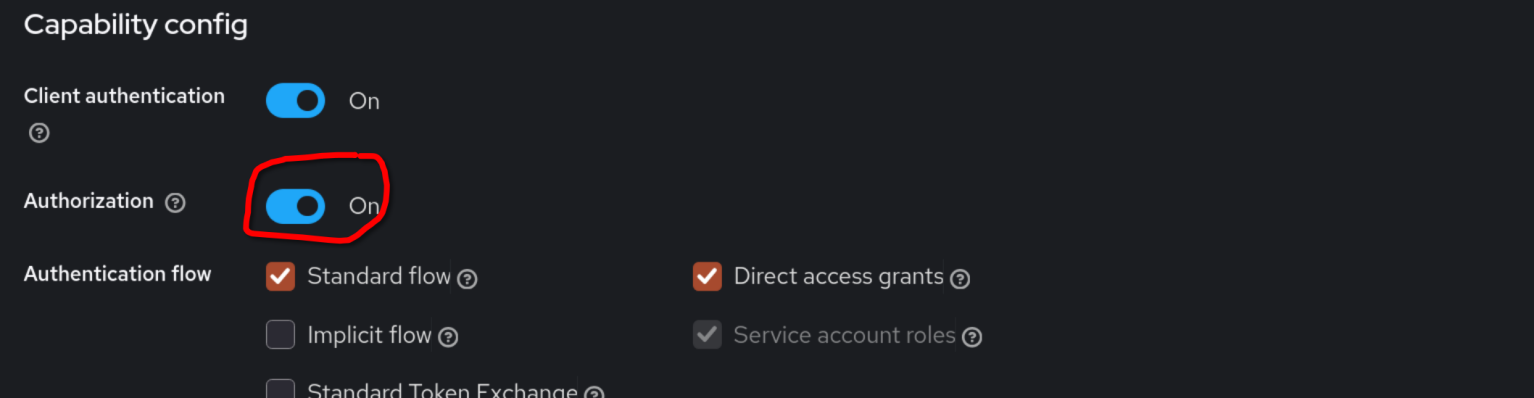
so the Authorization section appears. The natural next step would be to create a Policy
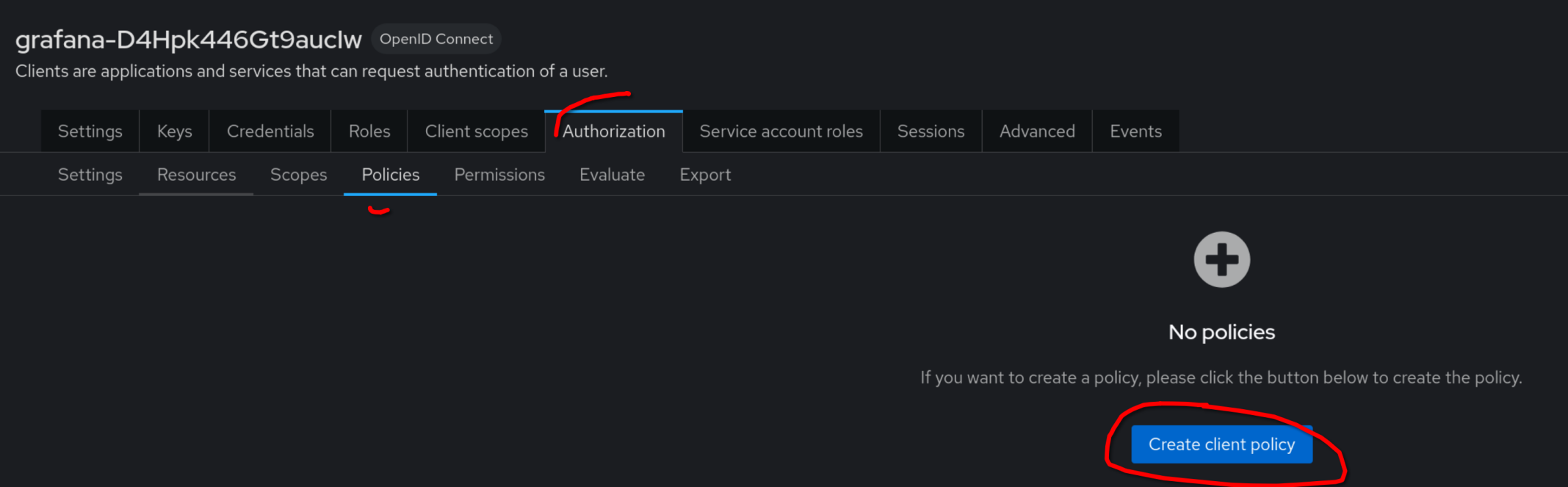
and link it to a role attached to the targeted group of users.
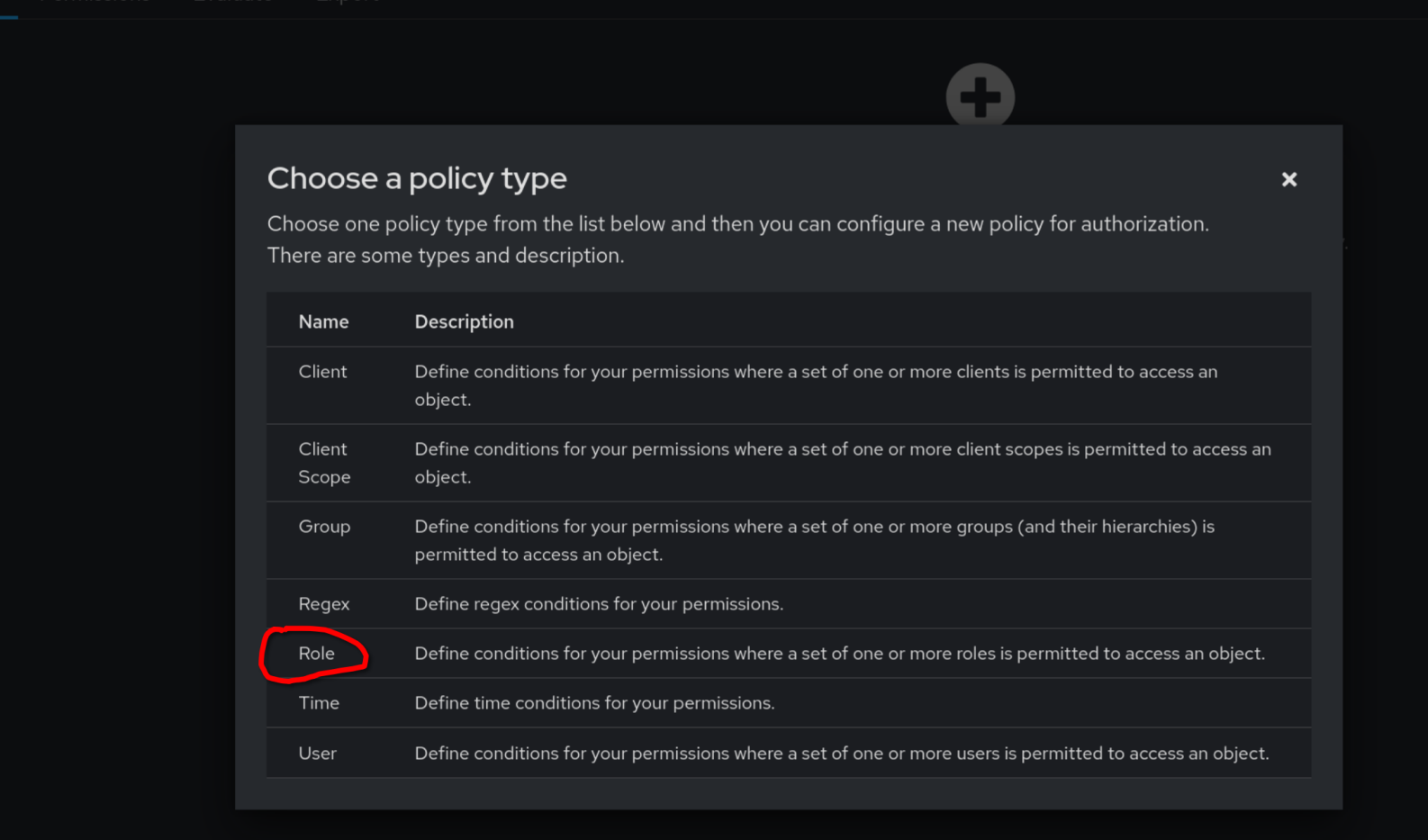
Unfortunately, as surprising as it could seem, this does not work and the documentation is pretty elusive on this behavior.
Custom flow for RBAC authentication
One way to implement this RBAC realm-wise is to define a specific authentication flow for these sensitive applications. Let’s say we want to restrict a few applications like Grafana to users with the role IT. First, we need to define the flow and attach it to the relevant applications.
Flow definition
In the Realm’s Authentication section, we need to create a flow we shall call role-based-it-enforced
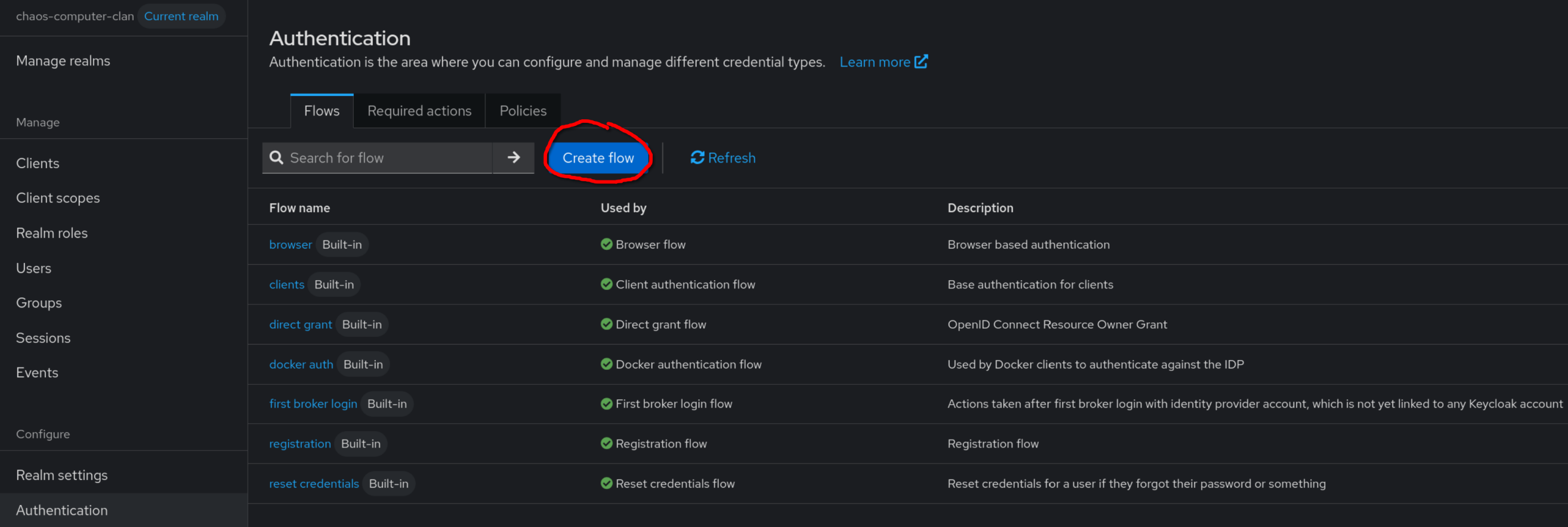
We are then provided with a bunch of options to define the authentication flow. In a nutshell, executions are individual steps in the path from anonymous to authenticated user while sub-flows are simply ways to nest executions steps and conditions in a subgraph. Based on the order of the steps, nesting and the requirements like Alternative, Required, Conditional Disabled acting like logic circuits, one can apprehend these flow structures as Directed Acyclic Graphs leaves of with must lead to Allow access or Deny access, depending on the authentication logic we need to implement. Here is what we are aiming for
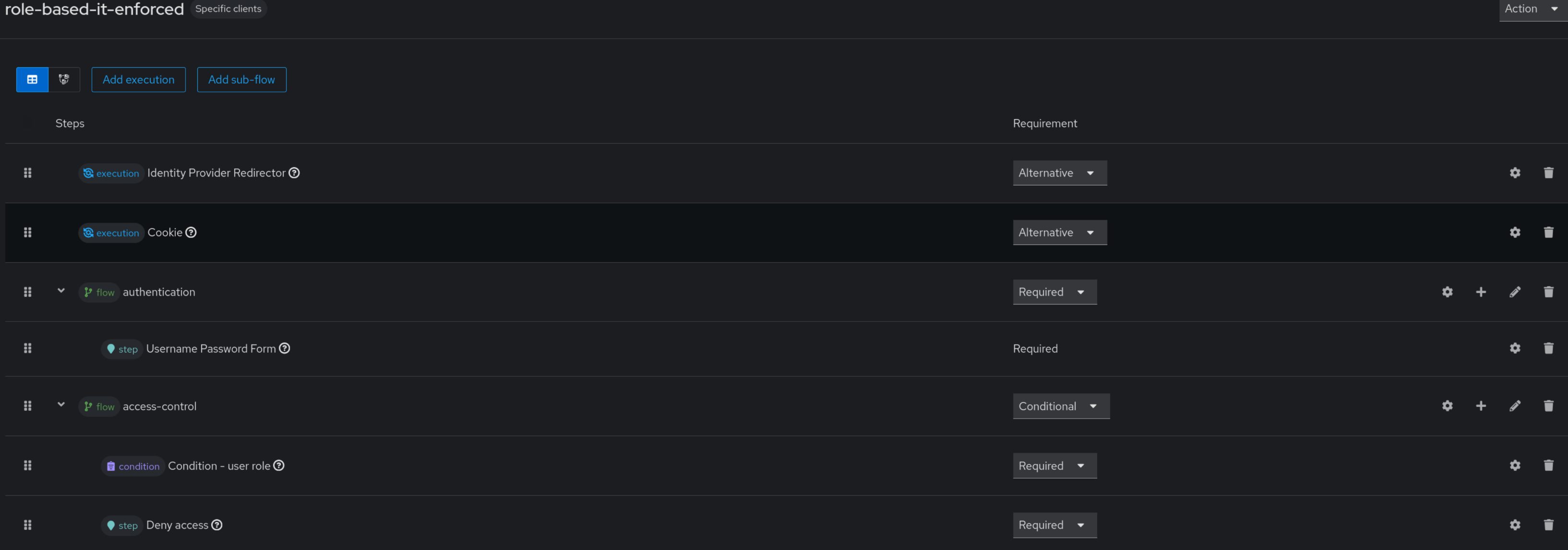
And here are the detailed steps of this pretty straightforward flow.
Execution
To be reidentified (i.e. be able to ask for a new access token), the user can either present his cookie or be redirected from the default identity provider defined by kc_idp (in case of delegated authentication). Since both options are mutually exclusive and optional (it the user does not have a cookie yet), we will use Alternative as requirements
- Identity Provider Redirector requirement:
Alternative - Cookie requirement:
Alternative
Sub-flows
Here, we need to check 2 things:
- that the user can provide the right combination of user and password
- once it is done, we need to check the user and allow access if and only if he has the role IT
Those are thus 2 successive steps calling for 2 subflows
authentication
We could had a bunch of enforcing options but I’ll go with the simplest Username Password Form
- authentication (flow) requirement:
Required- Username Password Form (step) requirement:
Required
- Username Password Form (step) requirement:
access-control
Once authenticated, we filter out non IT users
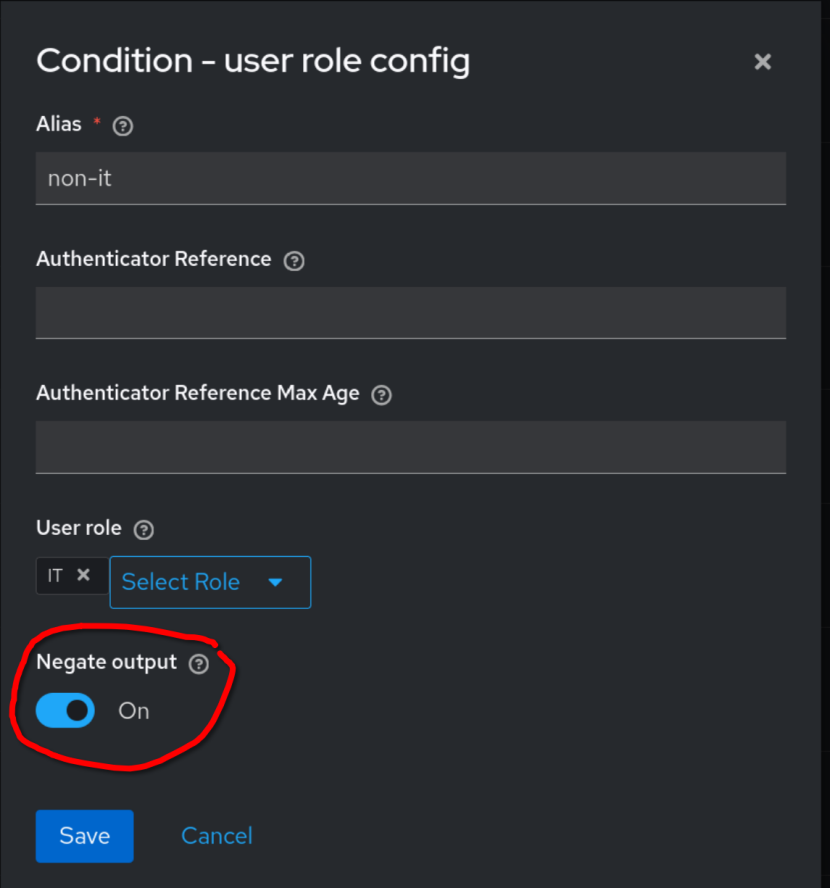
and display an explicit message in case of Deny access
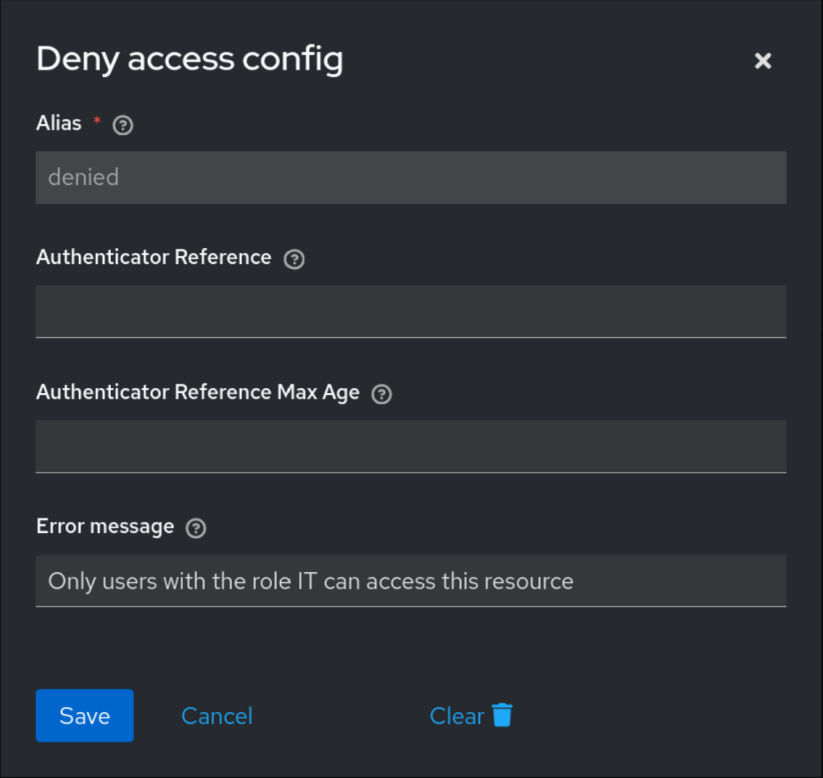
The subflow is, thus
- access-control (flow) requirement: Conditional
- Condition user-role requirement: Required
- Deny access
Here is our complete custom flow
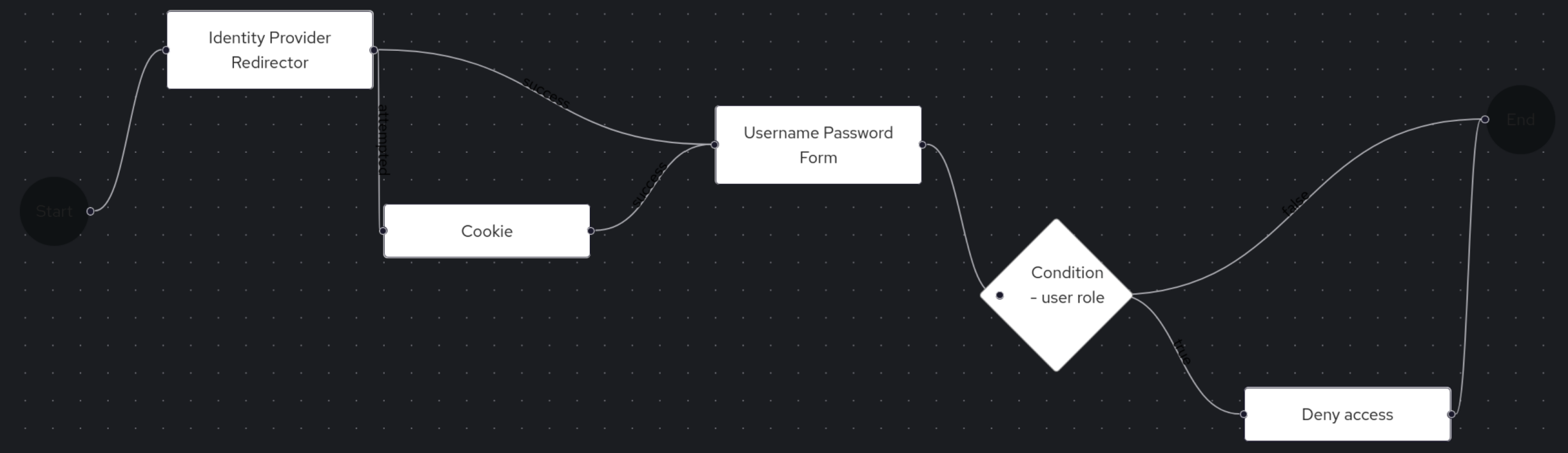
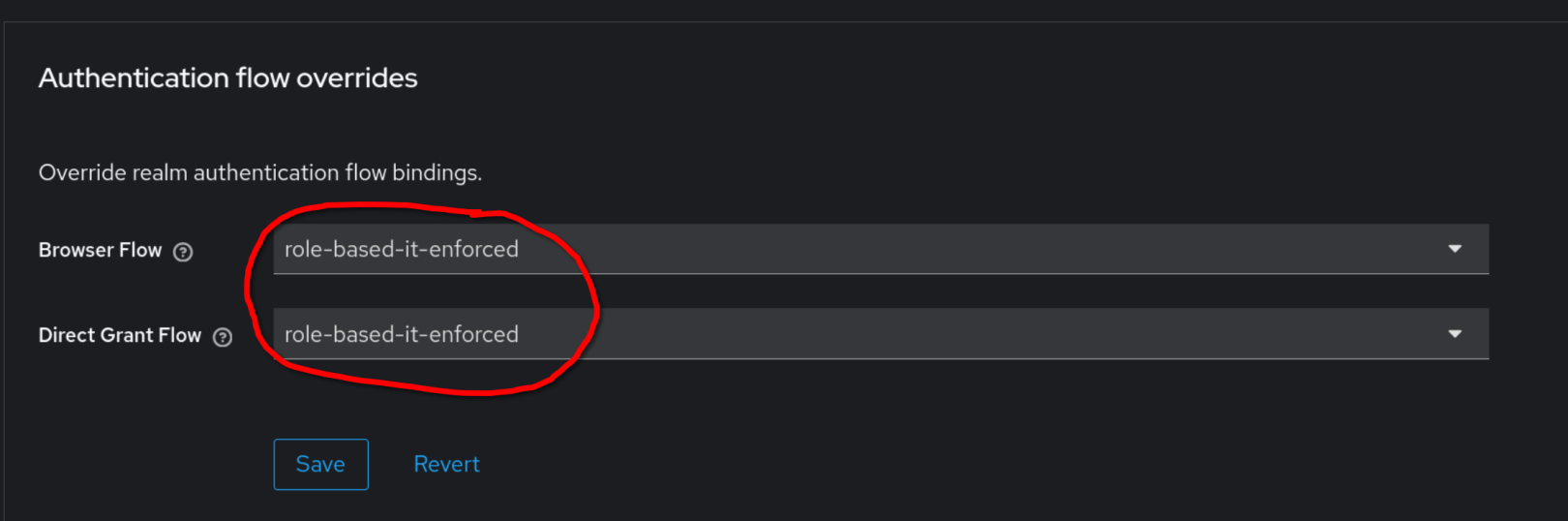
Use this custom flow in the client configuration
In the Advanced section of the client configuration, simply use our flow
Testing
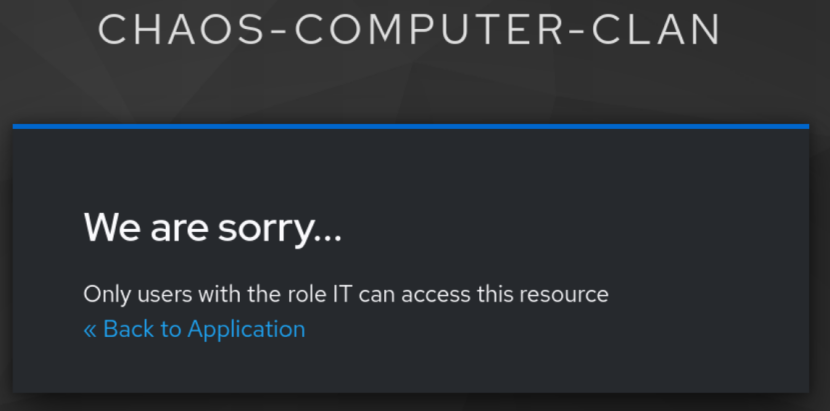
A non IT user should end up on this screen
while an IT user should reach the application.
That’s all, folks